Every golfer dreams of lower scores and longer drives. But improving without data is like navigating without a map — you might eventually get there, but you'll waste a lot of time wandering. That's exactly the problem a golf launch monitor solves.
A launch monitor is a sensor device that captures precise data about your golf ball and club at the moment of impact. It measures everything from ball speed and spin rate to launch angle and carry distance — giving you the objective feedback you need to make targeted improvements instead of guessing.
Whether you're a weekend warrior trying to break 90 or a scratch player fine-tuning your iron distances, understanding launch monitor data is the fastest path to better golf. This guide covers everything: what launch monitors are, the key metrics they track, how they improve your game, and which ones are worth buying for home use.
What Is a Golf Launch Monitor?
A golf launch monitor is a precision sensor that captures ball flight and club delivery data at the moment of impact. Using either photometric (camera-based) or radar-based technology, the monitor tracks the golf ball from launch through flight and calculates a complete picture of what happened.
How Photometric Launch Monitors Work
Photometric monitors like SkyTrak and Foresight GCQuad use high-speed cameras to photograph the ball at impact and immediately after. By analyzing the ball's position, rotation, and velocity across multiple frames, they calculate speed, spin, and launch angle with exceptional accuracy. Photometric monitors excel indoors because they don't need to track full ball flight — they capture everything at launch.
How Radar-Based Launch Monitors Work
Radar monitors like TrackMan and FlightScope use Doppler radar to track the ball through its entire flight path. They're extremely accurate outdoors with full ball flight, but may require more space and are affected by indoor environments where the ball hits a screen before completing its flight arc.
Bottom line: For home simulator use, photometric monitors (SkyTrak, Foresight) are the better choice. For outdoor range analysis or professional fitting studios, radar (TrackMan, FlightScope) is ideal. Many modern monitors now combine both technologies.
Key Launch Monitor Metrics Explained
Understanding what your launch monitor measures is the first step to using the data effectively. Here are the core metrics every golfer should know:
Ball Data Deep Dive
| Metric | What It Is | Why It Matters | Good Range (Driver) |
|---|---|---|---|
| Ball Speed | Speed of ball off the face (mph) | Primary distance driver | 140–170 mph |
| Launch Angle | Vertical angle at launch (degrees) | Affects trajectory, carry vs. roll | 10–15 degrees |
| Backspin | Backward rotation (rpm) | Too much = ballooning; too little = no carry | 2,000–2,800 rpm |
| Sidespin | Lateral rotation (rpm) | Causes draw/fade/slice/hook | < 500 rpm |
| Carry Distance | Air distance before landing (yards) | Your true yardage for club selection | 220–280 yards |
| Total Distance | Carry + roll (yards) | Course management | 240–300 yards |
| Smash Factor | Ball speed / club speed ratio | Measures strike quality | 1.44–1.50 |
Club Data Deep Dive
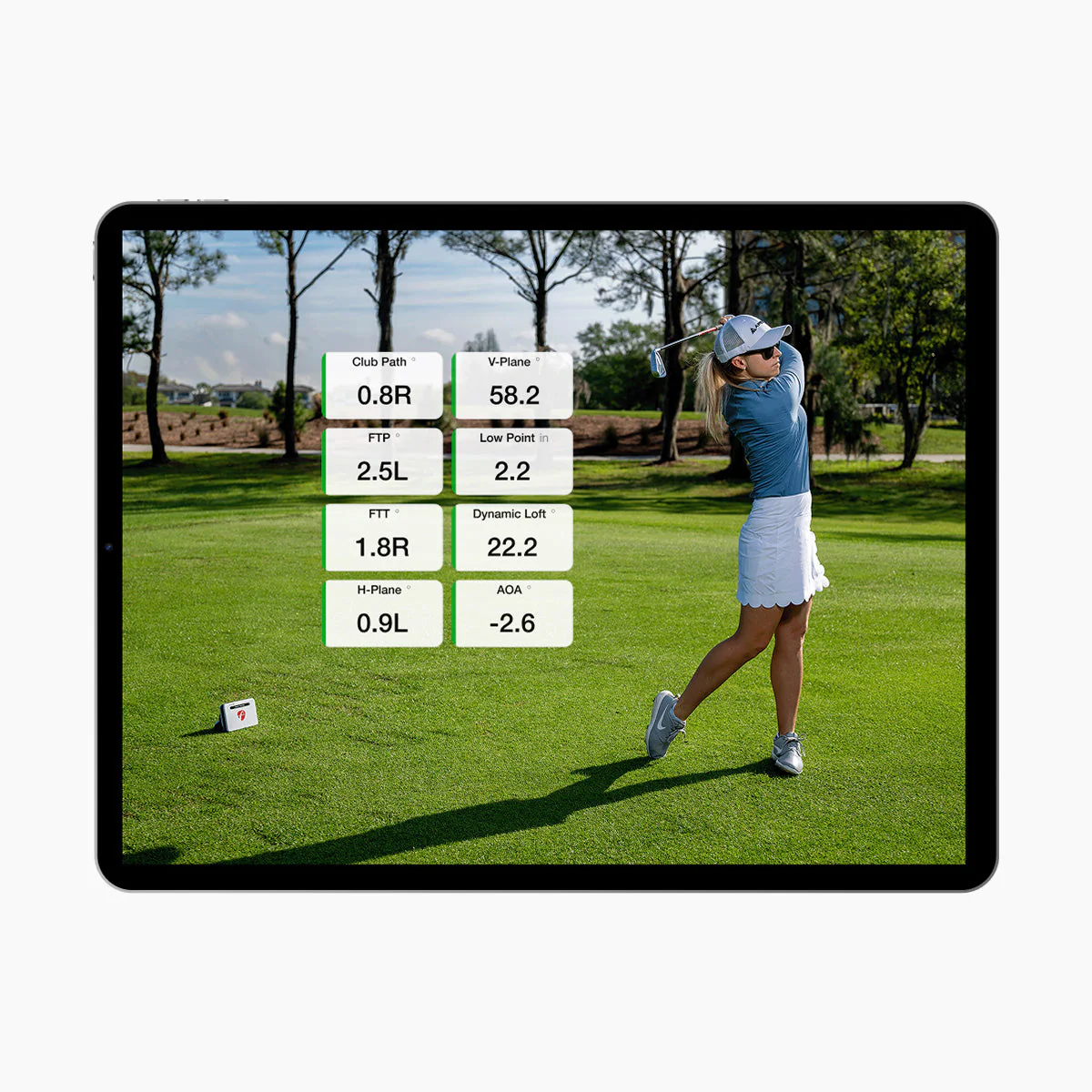
Advanced monitors (SkyTrak ST MAX, Foresight GCQuad, TrackMan) also capture club delivery data:
| Metric | What It Is | Why It Matters |
|---|---|---|
| Club Head Speed | Speed of the club at impact (mph) | Your raw speed potential |
| Club Path | Direction of club travel (degrees) | In-to-out = draw tendency; out-to-in = fade tendency |
| Face Angle | Where the face points at impact | Primary factor in starting direction |
| Attack Angle | Whether club is ascending or descending | Positive for driver, negative for irons |
| Dynamic Loft | Actual loft presented at impact | Affects launch angle and spin |
How a Launch Monitor Improves Your Game
Data alone doesn't lower scores — but acting on data does. Here's exactly how a launch monitor accelerates improvement:
1. Know Your Real Distances
Most golfers overestimate their distances by 10–20 yards. A launch monitor gives you exact carry numbers for every club in your bag. When you know your 7-iron carries 155 yards (not the 165 you assumed), you stop leaving approach shots short. That alone can save 3–5 strokes per round.
2. Identify Swing Flaws with Data
Instead of guessing why the ball slices, the launch monitor shows you: club path is 4 degrees out-to-in with a face angle 2 degrees open. That's a specific, fixable problem — not "I think I'm coming over the top." Data turns vague frustration into targeted practice.
3. Track Progress Over Time
With a home launch monitor, you build a history of your numbers. You can see your average driver ball speed climbing from 145 to 152 mph over three months. You can verify that the swing change your instructor recommended is actually producing the intended result. What gets measured gets improved.
4. Optimize Equipment Fitting
Launch monitor data is the foundation of modern club fitting. Spin rate, launch angle, and ball speed data tell a fitter exactly which shaft flex, loft, and head design will maximize your distance and accuracy. Fitting without a launch monitor is guesswork.
5. Practice with Purpose
A launch monitor transforms your practice sessions. Instead of hitting bucket after bucket with no feedback, every shot has meaning. You can set targets: "I want to hit 10 drives with a launch angle between 12–14 degrees and backspin under 2,500 rpm." Focused practice is 5x more effective than mindless repetition.
"The best players in the world all use launch monitors. The data doesn't replace feel — it confirms it. And when feel is off, data tells you exactly what changed."
Best Golf Launch Monitors for Home Use (2026)
If you're ready to buy, here are the top launch monitors for a home golf simulator setup, ranked by value:
| Launch Monitor | Price | Ball Data | Club Data | Best For |
|---|---|---|---|---|
| SkyTrak ST MAX | $2,995 | ✓ | ✓ | Best overall value for home sim |
| SkyTrak+ | $2,495 | ✓ | ✗ | Best if you only need ball data |
| Garmin Approach R10 | $600 | ✓ | ✓ | Budget outdoor practice |
| Bushnell Launch Pro | $3,000 | ✓ | Add-on | Foresight accuracy, premium price |
| Foresight GCQuad | $14,000+ | ✓ | ✓ | Tour-level, commercial fitting |
| TrackMan 4 | $20,000+ | ✓ | ✓ | Professional studios only |
Our recommendation: The SkyTrak ST MAX offers the best combination of accuracy, features, and price for home golfers. Full ball and club data at under $3,000 — nothing else comes close at this price point.
Launch Monitor vs. Golf Simulator: What's the Difference?
These terms are often used interchangeably, but they're different things:
| Feature | Launch Monitor Only | Full Golf Simulator |
|---|---|---|
| What it is | Sensor device that reads ball/club data | Complete setup: monitor + enclosure + projector + screen + software |
| Cost | $600–$20,000+ | $3,000–$50,000+ |
| Use case | Range practice, fitting, data tracking | Indoor course play, entertainment, full practice |
| Space needed | Can use outdoors, minimal space | Dedicated room (10x10 ft minimum) |
| Virtual courses | Limited (some phone/tablet apps) | Full simulation: Pebble Beach, St Andrews, etc. |
Think of the launch monitor as the engine and the simulator as the whole car. You can use the engine alone (take your launch monitor to the range), or build the full experience at home with an enclosure and projector.
What to Look For When Buying a Launch Monitor
1. Indoor vs. Outdoor Use
If you're building a home golf simulator, you need a photometric monitor that works indoors (SkyTrak, Foresight). Radar monitors need ball flight distance and don't perform well in small rooms.
2. Ball Data vs. Club Data
All launch monitors provide ball data. Club data (club path, face angle, attack angle) is only available on premium models. If you're serious about swing improvement, club data is worth the investment.
3. Software Compatibility
Make sure your launch monitor works with the simulation software you want. SkyTrak is compatible with every major platform (E6 Connect, TGC 2019, GSPro, Creative Golf 3D). Some monitors only work with proprietary software.
4. Accuracy & Consistency
Look for monitors with ±1–2% ball speed accuracy. Consistency matters more than absolute precision — you want the same shot to give the same reading every time.
5. Budget (Total Cost of Ownership)
Factor in ongoing costs: software subscriptions ($99–$300/year), replacement mats, and accessories. A $600 monitor with $300/year software costs more over 3 years than a $2,495 monitor with free built-in software.
Getting Started: Your First Launch Monitor Setup
- Choose your space. Garage, basement, spare bedroom — you need 10x10 ft minimum with 9 ft ceilings.
- Pick a launch monitor. For most home golfers, the SkyTrak ST MAX or SkyTrak+ is the best starting point.
- Get a complete package. Buying a bundled simulator package from Golf Sim Masters saves money vs. piecing it together — and everything is guaranteed compatible.
- Install and calibrate. Follow the setup guide for your specific monitor. SkyTrak units connect via Wi-Fi and calibrate in under 5 minutes.
- Start hitting. Begin with a baseline session — hit 10 shots with each club and record your averages. That's your benchmark for improvement.
Frequently Asked Questions
What does a golf launch monitor measure?
Are golf launch monitors accurate?
What is the best golf launch monitor for home use?
Can a launch monitor really improve my golf game?
What is the difference between a launch monitor and a golf simulator?
Ready to See Your Real Numbers?
Shop authorized SkyTrak launch monitors and complete simulator packages at Golf Sim Masters. Free shipping. Full warranty. Real support.